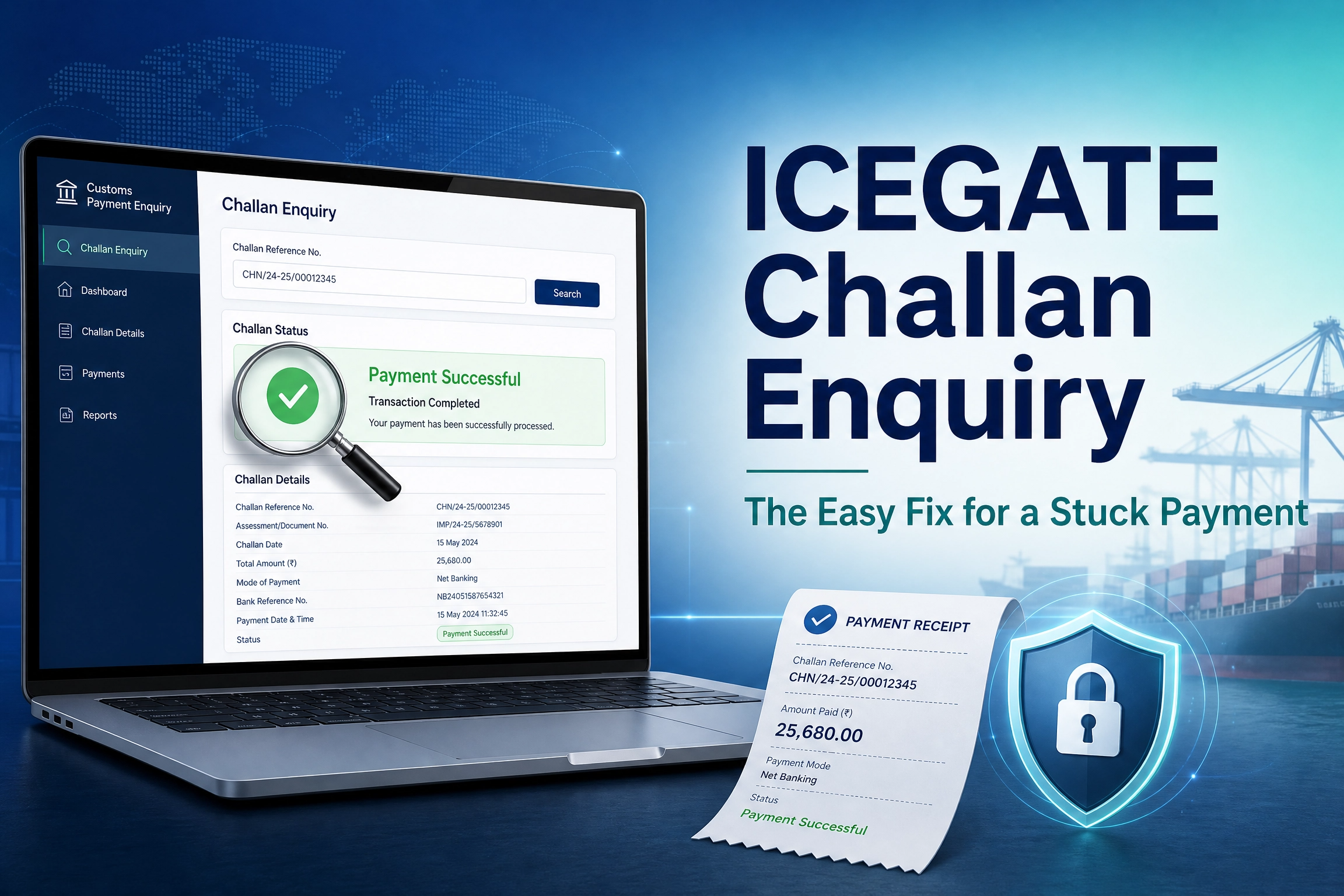
ICEGATE Challan Enquiry: The Easy Fix for a Stuck Payment
ICEGATE challan enquiry is the check that confirms whether a specific customs duty payment has been received and matched against your Bill of Entry. You paid customs duty, the money left your account, and now you cannot tell if it actually reached Customs. That gap between a confirmed bank debit and an unconfirmed challan status is exactly what this guide resolves.
Most guidance on this topic jumps straight to the click path and never explains what a challan actually is, or why a payment can look successful at your bank and still show as unpaid on ICEGATE. That gap is where most of the confusion, and most of the wasted calls to a broker, come from.
This guide explains what a customs duty challan is, when you actually need to check its status, what to keep ready before you check, the exact steps to run an ICEGATE challan enquiry, what each result means, and what to do when the enquiry shows nothing or a mismatch. It also draws a clear line between checking a challan and tracking a Bill of Entry, since the two get confused constantly and answer completely different questions.
Not yet registered on the portal? Our ICEGATE registration service sets up your login so you can reach the fuller, logged-in version of every enquiry, including this one.
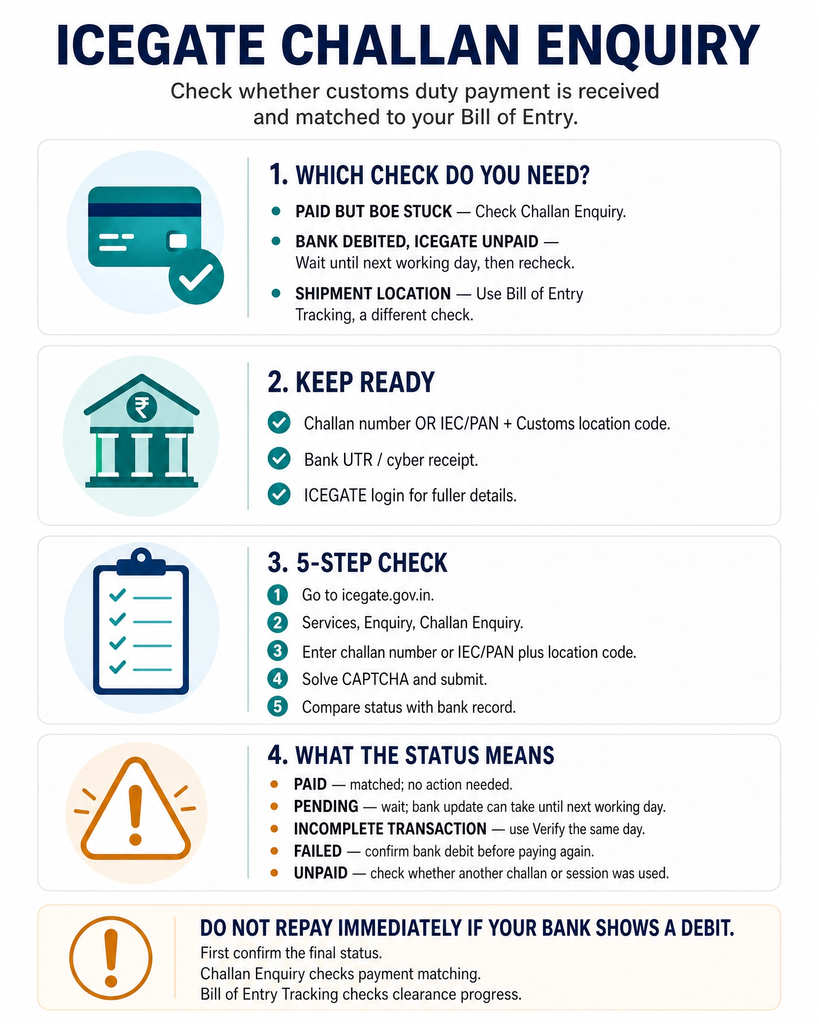
Which Challan Check Do You Actually Need
Start here. This table resolves the confusion in one step.
Your Situation
Check This
Bill of Entry stuck despite a paid duty amount
Challan Enquiry, then compare the result to your bank’s UTR or cyber receipt
Bank confirms debit, ICEGATE still shows unpaid
Wait for next-day reporting, then rerun the Challan Enquiry
Transaction looks incomplete or interrupted
Use the Verify option the same day, before it deactivates
You want to know where your shipment sits, not the payment
Bill of Entry / Shipping Bill tracking, a different enquiry entirely
Reconciling payments for accounting or audit
Challan Enquiry against your IEC or PAN to list all challans
What a Customs Duty Challan Is
A customs duty challan is the payment instrument ICEGATE generates once a Bill of Entry is assessed and a duty amount is confirmed. It carries the amount payable, the Bill of Entry reference, and a temporary identification number issued at the point of generation.
Once the bank confirms the payment, ICEGATE links that payment back to the challan and, through it, to your Bill of Entry. Tracking the challan matters because clearance and any downstream reconciliation, whether for your books or for a GST credit, both depend on that link being made correctly. If the reconciliation you’re chasing is actually a stuck IGST refund rather than an unpaid duty challan, that’s a separate check with its own fix.
Why You Might Need to Check Challan Status
Your Bill of Entry is not moving forward even though you paid the duty, and you suspect the payment has not been reflected against it.
Your bank confirms the amount was deducted, but ICEGATE still lists the challan as unpaid or shows an incomplete transaction.
You are reconciling payments for accounting or audit purposes and need to confirm which challans have actually been realised.
A duty payment appears twice, or an old challan reappears on an unpaid list after you believe it was already settled.
What You Need Before You Check Challan Status
ICEGATE login credentials, if you plan to check through the logged-in Challan Enquiry service for full detail.
The challan number, if you have it, or the Bill of Entry number, Bill of Entry date, and Customs location code as an alternative. Our ICEGATE shipping bill status guide covers how to pull those reference numbers if you don’t already have them.
Your IEC or PAN, since some challan searches are run against unpaid challans listed under your IE Code rather than a challan number directly.
Your bank payment reference or cyber receipt, useful for comparison if the ICEGATE side shows a different status than your bank statement.
Step by Step: Checking Status via ICEGATE Challan Enquiry
Step two: From the Services menu, open Enquiry, then look for the Challan Enquiry option, which sits among the other enquiry tiles alongside Bill of Entry and Shipping Bill status checks.
Step three: Enter the details the screen asks for. Depending on the version of the enquiry you land on, this is either the challan number directly, or your IEC or PAN together with the Customs location code to pull up the list of challans against your code.
Step four: Solve the CAPTCHA and submit.
Step five: Read the result. It will show the challan against its Bill of Entry reference and its current payment status.
Logged-in users can also reach a fuller Challan Enquiry from the post-login Enquiry Services module, which shows the list of unpaid challans tied to your account in more detail than the public screen.
Understanding Challan Status Values
Wording can vary slightly depending on where you view the challan, the bank’s transaction page or ICEGATE’s own screen. Here is what each commonly reported status generally means.
Status Shown
What It Generally Means
What To Do
Unpaid
The challan has been generated but no successful payment is linked to it yet
Complete the payment, or check if a payment was made through a different challan or session
Paid
The bank has confirmed the payment and ICEGATE has matched it to the challan
No action needed; the amount should reflect against your Bill of Entry
Incomplete Transaction
The payment process started but did not finish, often due to a link failure or a browser closed mid-transaction
Use the Verify option the same day the payment was attempted, since this is usually deactivated the next day
Pending
The bank has not yet sent confirmation back to ICEGATE
Wait, since banks typically report transaction status to ICEGATE by the next working day, then recheck
Failed
The bank rejected or could not complete the transaction
Do not repay until you confirm with the bank whether the amount was actually debited
When Challan Enquiry Shows No Result or a Mismatch
Wrong challan number or Customs location code. A single incorrect digit returns no record rather than an explanation of what went wrong.
Payment made but not verified the same day. If a transaction was interrupted, the bank reports the final status to ICEGATE, and this update is typically completed by around midday the following working day. Until then the challan can still show as unpaid even though your account was debited.
Payment showing at the bank but not at ICEGATE, or the reverse. If a challan does not appear as paid at either your bank statement or the ICEGATE e-payment side after a reasonable wait, this is a matter for the ICEGATE helpdesk rather than something a broker can fix from their end.
Duplicate or mismatched Challan Identification Number. A CIN mismatch between what the bank recorded and what ICEGATE expects is a common reason a payment does not reflect against the correct Bill of Entry.
Portal timing. E-payment services on ICEGATE run within a defined daily window rather than around the clock, so a transaction attempted right at the edges of that window can behave unpredictably.
Challan Enquiry vs Bill of Entry Tracking
These two checks are often confused because a stuck Bill of Entry and an unpaid challan can look like the same problem from the outside.
A Bill of Entry can be fully assessed and ready to move, and still sit blocked because its linked challan has not shown as paid. Equally, a challan can show as paid while the Bill of Entry itself is held up for an entirely separate reason, such as an examination order or an Out of Charge hold. Check the one that actually matches your question instead of assuming they move together.
Check
What It Tells You
Challan Enquiry
Whether a specific duty payment has been received and matched, which is a banking and reconciliation question
Bill of Entry Tracking
Where your consignment sits in the customs clearance pipeline, including assessment, examination, and Out of Charge
What Changed in 2026
The most significant verified change to how customs duty gets paid, and therefore what a challan enquiry needs to reconcile, is the introduction of a Payment Aggregator on the ICEGATE e-payment platform.
Under CBIC Circular No. 13/2026-Customs dated 24 March 2026, and the accompanying Notification No. 30/2026-Customs amending the Customs (Electronic Cash Ledger) Regulations, 2022, ICEGATE now supports duty payment through UPI, debit cards, and credit cards, in addition to the earlier net banking and NEFT or RTGS routes. Internet banking access was also expanded to a much wider set of banks. ICICI Bank, Indian Overseas Bank, State Bank of India, and HDFC Bank were onboarded first as payment aggregators, with more banks added in phases. Any commission on a Payment Aggregator transaction is borne by the user. The ICEGATE Payment Aggregator user manual walks through the new flow screen by screen.
This matters for challan enquiry specifically because more payment routes now feed into the same challan record. A duty payment made by UPI or card follows a different confirmation path back to ICEGATE than a net banking transaction, so if your challan is not updating, it is worth confirming which payment route you actually used before escalating. Our ICEGATE duty payment guide covers the full payment mechanics, including the aggregator rollout, step by step.
How JPARKS INDIA Helps
JPARKS INDIA provides ICEGATE registration, payment and challan reconciliation support, and escalation handling with the ICEGATE helpdesk for importers, exporters, and customs brokers whose Bills of Entry are stuck behind an unmatched payment.
From a stuck challan to a stalled Bill of Entry, we help keep your import-export operations moving.
Frequently Asked Questions
Q1. What is ICEGATE challan enquiry?
It is the enquiry service on ICEGATE that lets you check whether a specific customs duty challan has been paid and matched against its Bill of Entry.
Q2. Do I need to log in to check challan status?
This depends on which version of the enquiry you use. A fuller, account-specific view is available after logging in; treat any no-login route as something to confirm on the live portal rather than assume.
Q3. What details do I need to search a challan?
At minimum the challan number, or alternatively your IEC or PAN together with the Customs location code, since some challan lists are pulled up against your IE Code rather than a single challan number.
Q4. Why does my challan still show unpaid when my bank confirms the amount was deducted?
This usually means the bank has not yet reported the final transaction status back to ICEGATE, which can take until around midday the next working day, or the transaction needs to be verified on ICEGATE the same day it was attempted.
Q5. What does Incomplete Transaction mean on ICEGATE?
It means the payment process started but did not finish, often due to a link failure or the browser closing before the bank redirected back to ICEGATE. Use the Verify option, generally on the same day, to complete it.
Q6. Can I check a challan without the Bill of Entry number?
If you have the challan number itself, that alone can be enough. If you do not, the Bill of Entry number and date, along with the location code, are the usual alternative.
Q7. Should I repay if my challan shows as unpaid?
Not immediately. Confirm with your bank whether the amount was actually debited first, since repaying a challan that was already charged creates a duplicate payment to reconcile later.
Q8. Is challan enquiry the same as Bill of Entry tracking?
No. Challan enquiry confirms whether a payment has been received and matched. Bill of Entry tracking shows where your consignment sits in the clearance process. A problem in one does not always mean a problem in the other.
Need this handled for you?
Tell us where you are stuck. We usually reply the same business day.
5.0 ★ · 123 Google reviews · Since 1990
Posted on Google
Vandana Bajaj
Trustindex verifies that the original source of the review is Google.
Very prompt and reliable service by Rahul Kolge and his team. Exceptional and happy experience.
Posted on Google
Supriya Shetye
Trustindex verifies that the original source of the review is Google.
Had a really good experience with JParks India. Rahul sir helped me a lot with my import work and were always active and responsive. Whatever documents or guidance was needed, they handled everything smoothly and explained things clearly. Felt stress-free throughout the process. Very helpful team, definitely recommend them if you’re doing import or export.
Posted on Google
dipali sakpal
Trustindex verifies that the original source of the review is Google.
Very nice people, get the work done in a very short time.
Posted on Google
Satish Bajaj
Trustindex verifies that the original source of the review is Google.
Excellent & Prompt services in all Import Export matters.
Great to work with you
Posted on Google
Bajaj VCPL
Trustindex verifies that the original source of the review is Google.
It was a great experience having work with you.
Posted on Google
Satish Bajaj
Trustindex verifies that the original source of the review is Google.
"Outstanding professiona services, efficient, and gets things done incredibly fast. Highly recommended for anyone needing reliable and prompt assistance
Posted on Google
Nishat fatima
Trustindex verifies that the original source of the review is Google.
excellent service
Posted on Google
farhan sayed
Trustindex verifies that the original source of the review is Google.
JParks Team is Super helpful! Thanks to Rahul and team!
Posted on Google
Sadik Inamdar
Trustindex verifies that the original source of the review is Google.
Good and personal service for import export code
Posted on Google
Maheshwar
Trustindex verifies that the original source of the review is Google.
Had a really good experience with JParks India. Rahul sir helped me a lot with my import work and were always active and responsive. Whatever documents or guidance was needed, they handled everything smoothly and explained things clearly. Felt stress-free throughout the process. Very helpful team, definitely recommend them if you’re doing import or export.
Verified by Trustindex
Trustindex verified badge is the Universal Symbol of Trust. Only the greatest companies can get the verified badge who has a review score above 4.5, based on customer reviews over the past 12 months. Read more
We use cookies to run this site, measure traffic, and track our ads. Essential cookies are always on. Accept all, reject non-essential, or set your preferences.
Cookie Preferences
Manage your cookie preferences below:
Essential cookies enable basic functions and are necessary for the proper function of the website.
Name
Description
Duration
Cookie Preferences
This cookie is used to store the user's cookie consent preferences.
30 days
Google reCAPTCHA helps protect websites from spam and abuse by verifying user interactions through challenges.
Name
Description
Duration
_GRECAPTCHA
Google reCAPTCHA sets a necessary cookie (_GRECAPTCHA) when executed for the purpose of providing its risk analysis.
179 days
Google Tag Manager simplifies the management of marketing tags on your website without code changes.
Name
Description
Duration
cookiePreferences
Registers cookie preferences of a user
2 years
td
Registers statistical data on users' behaviour on the website. Used for internal analytics by the website operator.
session
Statistics cookies collect information anonymously. This information helps us understand how visitors use our website.
Google Analytics is a web analytics service that tracks and reports website traffic. It collects anonymized data on how visitors use the site to help us understand and improve performance.