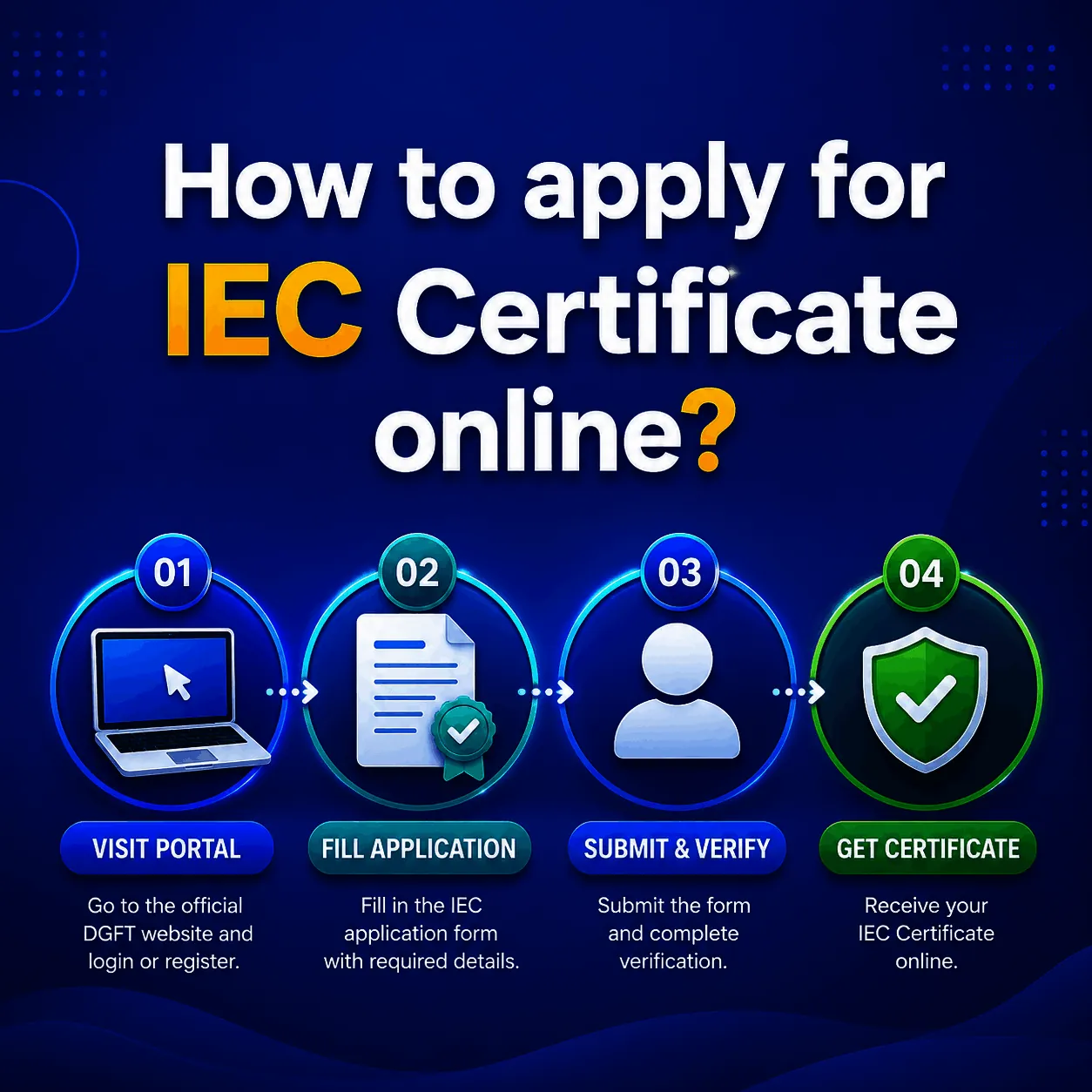
How to apply IEC certificate online is simple: you submit your application on the DGFT portal, and once it is approved, the IEC certificate is generated and made available to you as a digital document to download. There is no printed certificate posted to you and no separate certificate fee. The certificate is the digital output of a successful application.
This page focuses on the certificate itself, what it contains, how it reaches you, how to download it, and how to confirm it is genuine. If you want the full step by step of making the application, that lives on our how to apply IEC online guide, and a quick yes/no on doing it yourself is covered in can I apply for IEC online.
How to apply IEC certificate online and what you receive?
The IEC certificate is the official document issued by the DGFT confirming your 10 digit Importer Exporter Code. It is what customs, your bank, and export bodies recognise as proof that you are authorised to import or export. Since the process went fully online, it is issued as an electronic certificate, often called an e-IEC, rather than a paper one. It is the single document you will be asked for again and again once you start trading, so it is worth knowing exactly what a valid one looks like.
What the IEC certificate contains?
A genuine e-IEC certificate shows your 10 digit IEC number, the firm name exactly as per your PAN, the registered business address and any branch addresses, the nature of the firm, the date of issue, and a QR code. That QR code matters: it lets anyone, including a customs officer or a bank, verify the certificate online in seconds. If a certificate is missing the QR code or the details do not match your PAN, that is a red flag worth checking before you rely on it.
How the certificate is issued?
Once you submit a clean application, the DGFT system verifies it against your PAN and other government databases and, in most cases, auto-approves it. This is the part of how to apply IEC certificate online that most people do not realise: there is no separate certificate request. The certificate is generated automatically, usually within 1 to 2 working days, with no manual step needed from you. Approval and certificate generation are the same event. For what affects how fast that approval comes through, see our how to get IEC approval guide.
How to download your IEC certificate?
Once you know how to apply IEC certificate online, downloading it is the easy part. Your certificate is available in two places. It is emailed to the address linked to your IEC once issued, and it can be downloaded any time by logging in to the DGFT portal, opening IEC Profile Management, and selecting the print or download certificate option. Because it lives on the portal, you never lose it, you can simply log in and download a fresh copy whenever you need one for customs, a bank, or a tender. Keep a saved PDF handy, since you will be asked for it often.
How to check your IEC certificate is genuine?
Anyone can verify an IEC certificate using the QR code printed on it, or by checking the IEC number on the DGFT portal. This matters most when you receive a certificate filed on your behalf, since you want to confirm the details match your PAN and the code is active before you start trading on it. A quick check now saves a customs problem later.
Prefer the certificate handled for you?
If you would rather receive a correctly filed, ready to use certificate without touching the portal, JParks India prepares and files your IEC registration end to end, cross-checks every detail so the certificate is issued clean the first time, and hands you the final document. Call or WhatsApp +91 9167379073 to get started.
Frequently Asked Questions
Q1. Is the IEC certificate a physical document or digital?
It is digital. The DGFT issues an electronic e-IEC certificate that you download from the portal or receive by email. No paper certificate is posted to you.
Q2. How do I download my IEC certificate?
Log in to the DGFT portal, open IEC Profile Management, and choose the print or download certificate option. You can download a fresh copy any time you need one.
Q3. What details are on an IEC certificate?
Your 10 digit IEC number, firm name as per PAN, registered and branch addresses, nature of the firm, date of issue, and a QR code for online verification.
Q4. How long until I receive the certificate after applying?
A clean application is usually approved and the certificate issued within 1 to 2 working days, sometimes the same day.
Q5. How can I verify an IEC certificate is genuine?
Use the QR code on the certificate or check the IEC number on the DGFT portal. The details should match the firm PAN and the code should show as active.
Tell us where you are stuck. We usually reply the same business day.
5.0 ★ · 123 Google reviews · Since 1990
Posted on Google
Vandana Bajaj
Trustindex verifies that the original source of the review is Google.
Very prompt and reliable service by Rahul Kolge and his team. Exceptional and happy experience.
Posted on Google
Supriya Shetye
Trustindex verifies that the original source of the review is Google.
Had a really good experience with JParks India. Rahul sir helped me a lot with my import work and were always active and responsive. Whatever documents or guidance was needed, they handled everything smoothly and explained things clearly. Felt stress-free throughout the process. Very helpful team, definitely recommend them if you’re doing import or export.
Posted on Google
dipali sakpal
Trustindex verifies that the original source of the review is Google.
Very nice people, get the work done in a very short time.
Posted on Google
Satish Bajaj
Trustindex verifies that the original source of the review is Google.
Excellent & Prompt services in all Import Export matters.
Great to work with you
Posted on Google
Bajaj VCPL
Trustindex verifies that the original source of the review is Google.
It was a great experience having work with you.
Posted on Google
Satish Bajaj
Trustindex verifies that the original source of the review is Google.
"Outstanding professiona services, efficient, and gets things done incredibly fast. Highly recommended for anyone needing reliable and prompt assistance
Posted on Google
Nishat fatima
Trustindex verifies that the original source of the review is Google.
excellent service
Posted on Google
farhan sayed
Trustindex verifies that the original source of the review is Google.
JParks Team is Super helpful! Thanks to Rahul and team!
Posted on Google
Sadik Inamdar
Trustindex verifies that the original source of the review is Google.
Good and personal service for import export code
Posted on Google
Maheshwar
Trustindex verifies that the original source of the review is Google.
Had a really good experience with JParks India. Rahul sir helped me a lot with my import work and were always active and responsive. Whatever documents or guidance was needed, they handled everything smoothly and explained things clearly. Felt stress-free throughout the process. Very helpful team, definitely recommend them if you’re doing import or export.
Verified by Trustindex
Trustindex verified badge is the Universal Symbol of Trust. Only the greatest companies can get the verified badge who has a review score above 4.5, based on customer reviews over the past 12 months. Read more
We use cookies to run this site, measure traffic, and track our ads. Essential cookies are always on. Accept all, reject non-essential, or set your preferences.
Cookie Preferences
Manage your cookie preferences below:
Essential cookies enable basic functions and are necessary for the proper function of the website.
Name
Description
Duration
Cookie Preferences
This cookie is used to store the user's cookie consent preferences.
30 days
Google reCAPTCHA helps protect websites from spam and abuse by verifying user interactions through challenges.
Name
Description
Duration
_GRECAPTCHA
Google reCAPTCHA sets a necessary cookie (_GRECAPTCHA) when executed for the purpose of providing its risk analysis.
179 days
Google Tag Manager simplifies the management of marketing tags on your website without code changes.
Name
Description
Duration
cookiePreferences
Registers cookie preferences of a user
2 years
td
Registers statistical data on users' behaviour on the website. Used for internal analytics by the website operator.
session
Statistics cookies collect information anonymously. This information helps us understand how visitors use our website.
Google Analytics is a web analytics service that tracks and reports website traffic. It collects anonymized data on how visitors use the site to help us understand and improve performance.