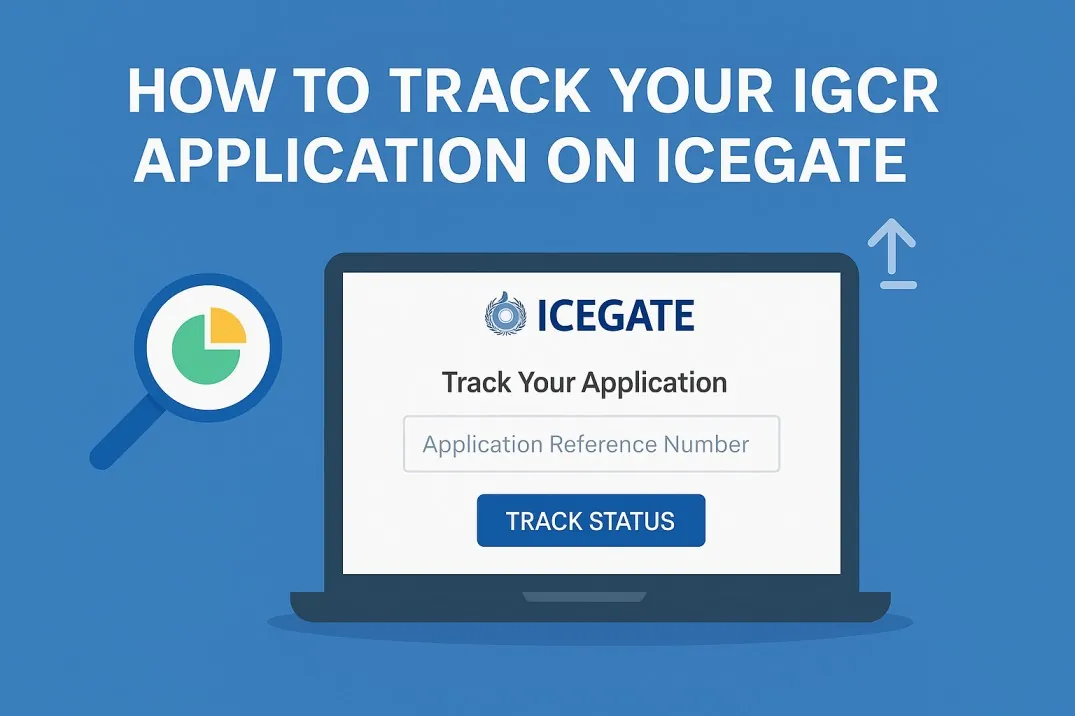
To track IGCR application on ICEGATE, you log in to the ICEGATE 2.0 portal, open the IGCR module under the Services tab, and view the status of your prior intimation and IIN there. Because IGCR is a self-service electronic process, there is no separate approval queue to chase in the way a DGFT licence is tracked; the status you are looking for is whether your prior intimation has been accepted and your IGCR Identification Number generated, and then whether your bond and returns are in order. This page walks through what to check and where.
How to Track IGCR Application on ICEGATE Step by Step
Access ICEGATE with your registered ICEGATE ID and password. Once logged in, the IGCR option appears under the Services tab. Opening it brings up the IGCR module, which shows your prior intimation forms already filed, along with their status. Any prior intimation you have submitted is displayed here, so this is the first place to confirm your application was received.
What “Tracking” Actually Means Under IGCR
It helps to understand that IGCR is not an approval-based licence. When your prior intimation is accepted, the system allots an IIN, and that IIN being active is your signal that the application has gone through. So tracking is really about confirming three states: that the prior intimation is recorded, that the IIN is generated and valid, and that your continuity bond is registered against it. If all three are in place, you are cleared to import at the concessional rate.
Checking Your IIN Status
Within the IGCR module, your prior intimations and their IINs are listed. Confirm that the IIN tied to your intimation is present and active. Under the current ICEGATE 2.0 position, an IIN can carry forward across financial years rather than needing regeneration each year, so an existing valid IIN remains usable into the next year. If your IIN is not showing or shows an issue, that points to a problem with the underlying intimation rather than a pending approval.
Checking Bond and Return Status
Tracking does not end at the IIN. The module also lets you view bond and bank guarantee utilisation, and your return filing status. This matters because an active IIN with an unregistered bond, or with pending returns, can still block smooth clearance or bond re-credit. Checking bond utilisation and pending Form 3 or Form 3A returns is part of keeping your IGCR standing healthy, not just a one-time application check.
What to Do If Something Looks Wrong
If your prior intimation is not visible, the IIN has not generated, or a bill of entry is not linking to your IIN, the usual causes are a mismatch in the submitted details, an incomplete bond step, or a data error in the intimation. These are corrected by amending the prior intimation rather than by waiting. For issues relating to older filings made on ICEGATE 1.0 before the 2025 transition, importers are generally advised to contact their jurisdictional or EPC officer.
Getting Help With Tracking and Corrections
If your IGCR status is unclear or an import is not clearing at the concessional rate, our team can review your ICEGATE records and fix the underlying issue. See the IGCR clearance service or contact [email protected] or +91 91673 79073.
Application status is checked in the IGCR module on the ICEGATE portal, which is where you track IGCR application on ICEGATE from start to finish.
Frequently Asked Questions
Q1. How do I track my IGCR application?
To track IGCR application on ICEGATE, log in, open the IGCR module under the Services tab, and view your prior intimation and IIN status there.
Q2. Is there an approval queue to wait for?
No. IGCR is self-service. When your intimation is accepted, the IIN is generated, which is your signal it has gone through.
Q3. What three things should I confirm?
That the prior intimation is recorded, the IIN is generated and valid, and the continuity bond is registered against it.
Q4. Does the IIN need renewing each year?
No. Under the current ICEGATE 2.0 position, an existing IIN can carry forward across financial years.
Q5. What if my IIN is not showing?
That usually points to a problem with the underlying intimation, corrected by amending it rather than waiting.
Tell us where you are stuck. We usually reply the same business day.
5.0 ★ · 123 Google reviews · Since 1990
Posted on Google
Vandana Bajaj
Trustindex verifies that the original source of the review is Google.
Very prompt and reliable service by Rahul Kolge and his team. Exceptional and happy experience.
Posted on Google
Supriya Shetye
Trustindex verifies that the original source of the review is Google.
Had a really good experience with JParks India. Rahul sir helped me a lot with my import work and were always active and responsive. Whatever documents or guidance was needed, they handled everything smoothly and explained things clearly. Felt stress-free throughout the process. Very helpful team, definitely recommend them if you’re doing import or export.
Posted on Google
dipali sakpal
Trustindex verifies that the original source of the review is Google.
Very nice people, get the work done in a very short time.
Posted on Google
Satish Bajaj
Trustindex verifies that the original source of the review is Google.
Excellent & Prompt services in all Import Export matters.
Great to work with you
Posted on Google
Bajaj VCPL
Trustindex verifies that the original source of the review is Google.
It was a great experience having work with you.
Posted on Google
Satish Bajaj
Trustindex verifies that the original source of the review is Google.
"Outstanding professiona services, efficient, and gets things done incredibly fast. Highly recommended for anyone needing reliable and prompt assistance
Posted on Google
Nishat fatima
Trustindex verifies that the original source of the review is Google.
excellent service
Posted on Google
farhan sayed
Trustindex verifies that the original source of the review is Google.
JParks Team is Super helpful! Thanks to Rahul and team!
Posted on Google
Sadik Inamdar
Trustindex verifies that the original source of the review is Google.
Good and personal service for import export code
Posted on Google
Maheshwar
Trustindex verifies that the original source of the review is Google.
Had a really good experience with JParks India. Rahul sir helped me a lot with my import work and were always active and responsive. Whatever documents or guidance was needed, they handled everything smoothly and explained things clearly. Felt stress-free throughout the process. Very helpful team, definitely recommend them if you’re doing import or export.
Verified by Trustindex
Trustindex verified badge is the Universal Symbol of Trust. Only the greatest companies can get the verified badge who has a review score above 4.5, based on customer reviews over the past 12 months. Read more
We use cookies to run this site, measure traffic, and track our ads. Essential cookies are always on. Accept all, reject non-essential, or set your preferences.
Cookie Preferences
Manage your cookie preferences below:
Essential cookies enable basic functions and are necessary for the proper function of the website.
Name
Description
Duration
Cookie Preferences
This cookie is used to store the user's cookie consent preferences.
30 days
Google reCAPTCHA helps protect websites from spam and abuse by verifying user interactions through challenges.
Name
Description
Duration
_GRECAPTCHA
Google reCAPTCHA sets a necessary cookie (_GRECAPTCHA) when executed for the purpose of providing its risk analysis.
179 days
Google Tag Manager simplifies the management of marketing tags on your website without code changes.
Name
Description
Duration
cookiePreferences
Registers cookie preferences of a user
2 years
td
Registers statistical data on users' behaviour on the website. Used for internal analytics by the website operator.
session
Statistics cookies collect information anonymously. This information helps us understand how visitors use our website.
Google Analytics is a web analytics service that tracks and reports website traffic. It collects anonymized data on how visitors use the site to help us understand and improve performance.