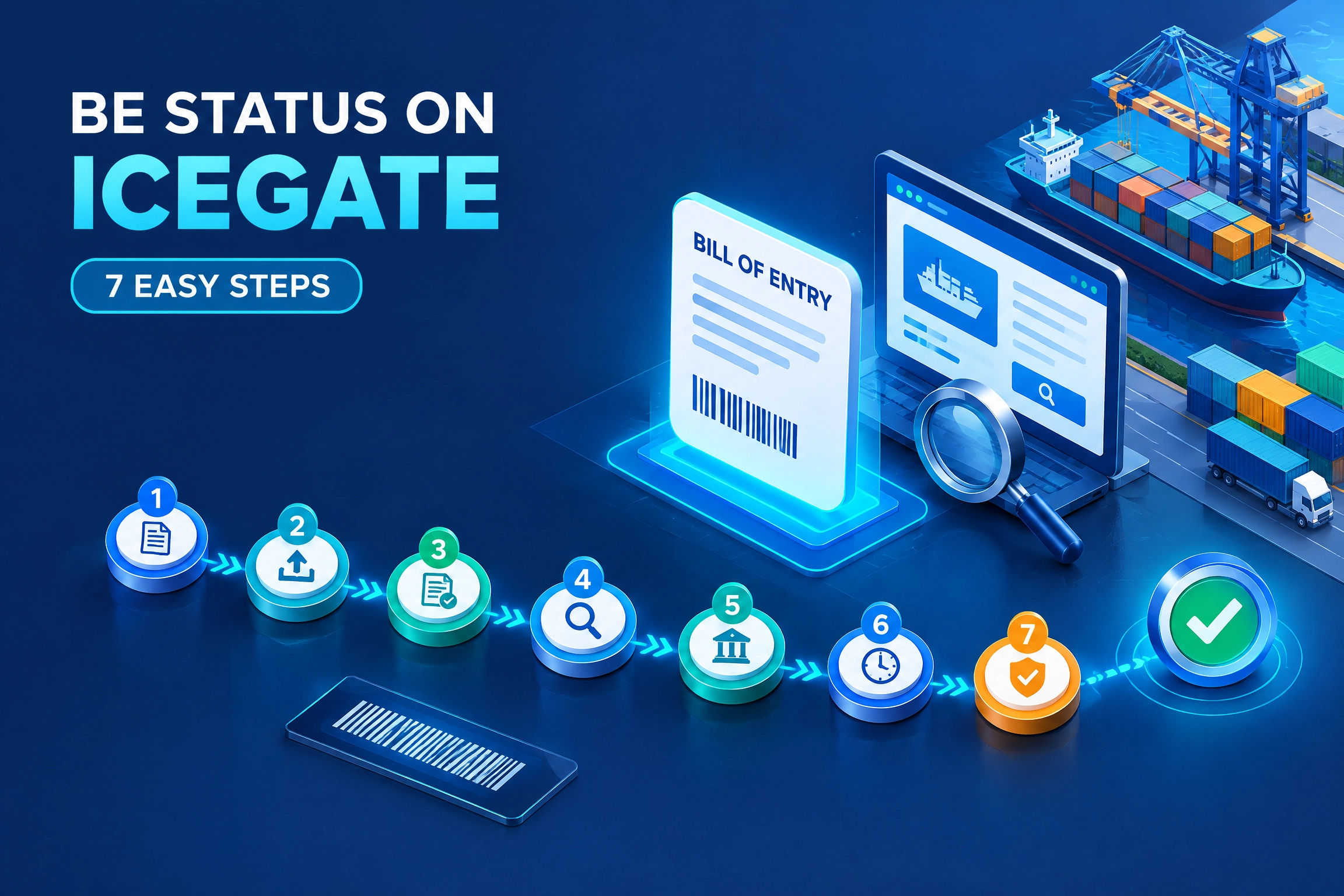
BE Status on ICEGATE: Track Your Bill of Entry in 7 Easy Steps
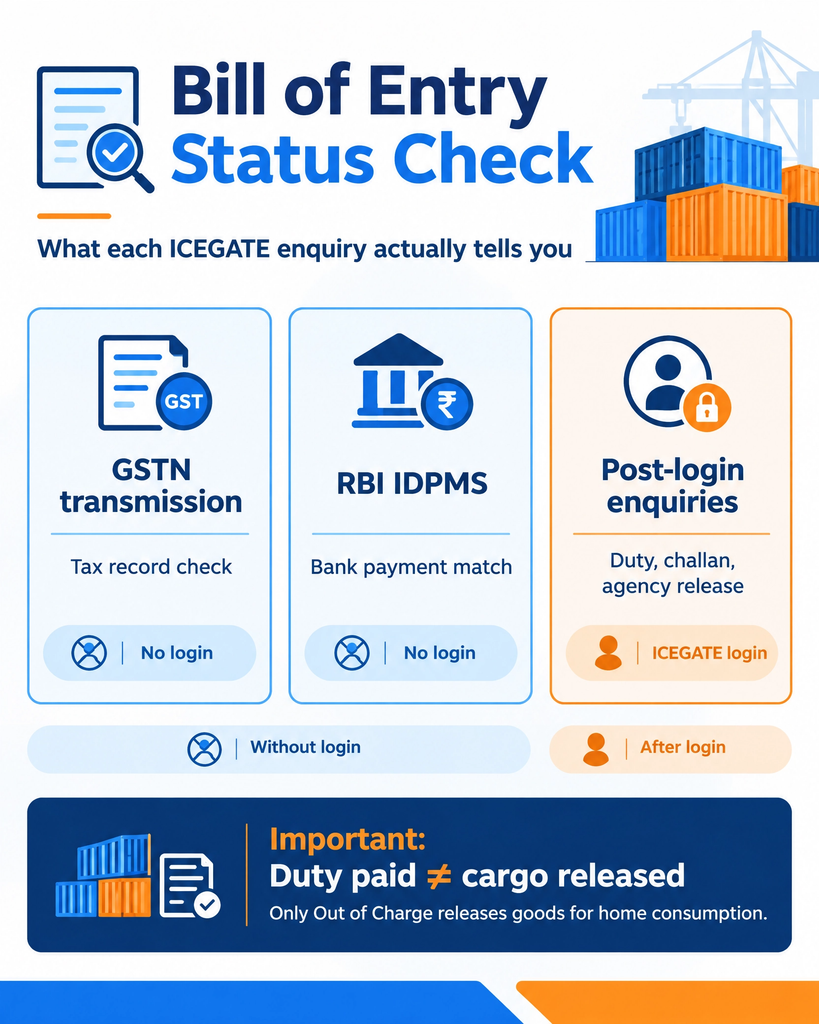
BE status is the live position of your Bill of Entry inside Indian Customs, from filing through assessment, duty payment, examination and Out of Charge. On ICEGATE, BE status checks come in two groups. Without logging in, anyone can run Status of BE Transmission to GSTN and Status of BE in RBI IDPMS on Public Enquiries 2.0 using the port code, BE number and BE date. After logging in, importers and Customs Brokers also get Bill of Entry (24 hrs.), Payment Due BE’s List, Challan Enquiry and the Release Order Status of other government agencies.
After login, the ICEGATE dashboard also carries a Bill of Entry widget that counts your filings by stage, so you can see how many sit at assessment, examination or Out of Charge. What no enquiry gives you is the full stage history of one BE by number. For assessment, examination and Out of Charge, your Customs Broker tracks the job in ICES and should share the current stage with you. This guide covers every check, what each stage means, and what to do when an enquiry returns nothing. If you do not have an ICEGATE login yet, start with our ICEGATE registration service.
What you need to know
BE status check to use
Login needed?
Has the BE data reached GSTN, so import IGST can show in your GST records?
Status of BE Transmission to GSTN
No
Is the BE recorded in RBI IDPMS, which your bank uses to match import payments?
Status of BE in RBI IDPMS
No
Which Bills of Entry were filed from a location in the last 24 hours?
Job Status, then Bill of Entry (24 hrs.)
Yes, importer or Customs Broker
Is duty still due on my Bills of Entry?
Payment Due BE’s List
Yes, importer
Is a challan against my BE still unpaid?
Challan Enquiry
Yes, importer or Customs Broker
Has another government agency released the goods?
Document Status, then Other Govt Agencies: Release Order Status or BE Ack Status
Yes
Is the BE assessed, under examination or Out of Charge?
Current stage from your Customs Broker’s ICES job
Ask your broker
What Is a Bill of Entry and What Does BE Status Show?
A Bill of Entry is the import declaration filed with Indian Customs for goods brought into India. Section 46 of the Customs Act, 1962 requires the importer to present it, and in practice your Customs Broker files it electronically into the ICES system.
There are three common types, and the status screen works the same way for each:
Bill of Entry for home consumption: duty is paid and the goods are cleared into the Indian market.
Bill of Entry for warehousing: the goods move into a bonded warehouse without immediate duty payment.
Ex-bond Bill of Entry: goods are cleared out of the warehouse for home consumption.
The status screen answers the questions that decide when your cargo leaves the port:
Has customs assessed the declaration or raised a query?
Is duty assessed and paid, or is a challan still open?
Has examination been ordered and completed?
Has Out of Charge been granted, the order that releases the goods for home consumption?
Duty payment alone does not mean release. Only the Out of Charge order does, which is why it is worth checking at every stage, not just once. Our guide to Out of Charge on ICEGATE covers that final step in detail.
Details You Need Before You Check BE Status
Detail
Where to find it
Common mistake
Port or customs location code
BE checklist or filing acknowledgement from your Customs Broker, such as INNSA1 for Nhava Sheva
Using the gateway port code for an ICD filing
Bill of Entry number
Filing acknowledgement or BE copy
Entering the job number or invoice number instead
Bill of Entry date
The BE filing date on the acknowledgement
Entering the vessel arrival date or invoice date
ICEGATE login
Your registered ICEGATE user ID, plus access to the registered mobile number and email for the OTP
Needed for post-login enquiries only, not for the GSTN and IDPMS checks
Step 1: Open the official portal. Go to icegate.gov.in and click Login. Use the official domain only, since lookalike sites charge for checks customs provides free.
Step 2: Choose ICEGATE User. Select “ICEGATE User” as the user type and enter your login credentials. If you use the new portal for the first time, our new ICEGATE login guide walks through it.
Step 3: Enter the OTP. ICEGATE 2.0 uses two-step verification, so enter the OTP sent to your registered mobile number. Email OTP is optional and is switched on under My Profile, then Alert Management.
Step 4: Open the Services widget. On the dashboard, click the Services widget to expand it.
Step 5: Click ICEGATE Enquiry Services. A new page opens with every enquiry your role can use.
Step 6: Pick the BE status enquiry you need.
Job Status, then Bill of Entry: select the location to see the Bills of Entry filed from it in the last 24 hours. Available to importers and Customs Brokers.
Payment Due BE’s List: select the port, month and year, and a date range to see the payment due status of your Bills of Entry. Available to importers.
Challan Enquiry: enter the challan number, BE number and BE date to see unpaid challans. Available to importers and Customs Brokers.
Document Status, then Other Govt Agencies: choose Release Order Status or BE Ack Status, select the location and agency, and enter the BE number and BE date.
Step 7: Search and record the result. Take a screenshot of each result. A dated record is useful if a delay has to be escalated to the customs house or disputed with a terminal over demurrage.
BE Status Without Login: 2 Free Public Enquiries
ICEGATE’s Public Enquiries 2.0 page offers two Bill of Entry checks that anyone can run without logging in. They do not show clearance stages, but they answer two questions importers often get stuck on. To reach them, go to ICEGATE Services, then Enquiry, and open Public Enquiries 2.0.
Status of BE Transmission to GSTN
This check shows whether your Bill of Entry data has been sent from customs to the GST Network. That matters because IGST paid on imports reaches your GSTR-2B through this data feed. If your import IGST is missing from GSTR-2B, run this check before raising it with your accountant or the GST portal.
You enter: port code, Bill of Entry number and Bill of Entry date.
Status of BE in RBI IDPMS
This check shows whether the Bill of Entry is recorded in the Import Data Processing and Monitoring System of the Reserve Bank of India. Your authorised dealer bank uses IDPMS to match import payments against Bills of Entry. A BE missing from IDPMS, or recorded with wrong details, can leave an import payment unmatched in your bank’s books long after the goods are cleared.
You enter: port code, BE date and Bill of Entry number.
Neither check shows clearance stages. A Bill of Entry can show correctly in GSTN and IDPMS while it is still waiting for examination or Out of Charge.
BE Status Stages Explained
Whether you hear it from your Customs Broker or read it on the checklist, a Bill of Entry usually moves through these stages. Exact labels can vary by location.
Stage
What it means
Your next move
Filed
The declaration is accepted into ICES and a job number is generated
Wait for assessment. Keep the acknowledgement
In assessment queue or appraisement
An officer is checking value, classification and exemption claims
Keep the invoice, packing list and technical literature ready
Query raised
Customs wants a clarification or document
Reply through your Customs Broker the same day. Queries are the biggest single delay
Assessed
Duty has been determined
Check the amount and pay promptly
Duty payment pending
The challan is generated but not paid
Pay through the ICEGATE duty payment process. Late payment attracts interest under Section 47 of the Customs Act
Duty paid
Payment is recorded against the BE
Confirm with a challan enquiry if the status has not updated
Examination ordered or completed
Cargo has been selected for physical or document examination under risk management
Coordinate with your Customs Broker and the CFS or terminal
Out of Charge
Customs has released the goods for home consumption
Arrange delivery with the custodian and carrier
Watch the calendar as well as the status. Under Section 48 of the Customs Act, goods not cleared within 30 days of unloading can be sold by the custodian after notice, so a BE stuck at query or unpaid duty is a real risk, not just a delay.
Why BE Status Shows No Record Found
A blank result almost never means customs rejected your Bill of Entry. Work through these causes in order:
Wrong port code. The most common cause. A BE filed at an ICD or CFS must be searched under that location, not the seaport the container arrived at.
Wrong date. The field needs the BE filing date, not the vessel arrival or invoice date.
Wrong number. Check every digit against the acknowledgement and remove any internal prefix your broker uses.
Checked too early. Data can take a few hours to reach the enquiry layer after filing.
Wrong enquiry. Bill of Entry (24 hrs.) shows only filings from the last 24 hours, and the GSTN and IDPMS checks cover tax and banking data. Pick the check that matches your question.
Filing not accepted. Ask your Customs Broker for the ICES job number as proof the BE went through.
If all six are ruled out, contact the ICEGATE helpdesk on 1800-3010-1000 or [email protected] with the port code, BE number, BE date and a screenshot of the result.
Bill of Entry Status vs Shipping Bill Status
Point
Bill of Entry status
Shipping Bill status
Trade direction
Import
Export
Final release order
Out of Charge
Let Export Order
Guest check on Public Enquiries 2.0
GSTN transmission and RBI IDPMS only
Full document status plus RBI EDPMS
Full clearance stage
From your Customs Broker, with duty, challan and agency checks after login
Treating duty paid as cleared. Examination or another agency’s clearance can still be pending. Only Out of Charge releases the goods.
Treating banking data as customs status. A BE showing in RBI IDPMS says nothing about assessment or release.
Reading a query as a rejection. A query asks for clarification or documents. Answer it quickly through the authorised channel and the BE moves on.
Resubmitting altered details. Repeated searches with guessed numbers or dates make troubleshooting harder. Get the acknowledgement and search once, correctly.
Ignoring GSTN transmission. A cleared BE that never reached GSTN can hold up your IGST credit. Check it once the goods are out.
How JPARKS INDIA Helps With BE Status
Three things to take away. The GSTN and RBI IDPMS checks are free without login and need only the port code, BE number and BE date, but they answer tax and banking questions, not clearance. After login, ICEGATE Enquiry Services add 24-hour filings, duty due, unpaid challans and agency release orders. And only Out of Charge means your goods are released.
JPARKS INDIA handles import compliance, backed by S.K. Agency, AEO-LO customs brokers since 1990. We work as your customs clearance partner on assessment queries, duty payment, examination follow-up and Out of Charge, and we set up the registrations behind them, including ICEGATE registration, IGCR and MOOWR.
If your BE status has not moved in 48 hours, send us the port code, BE number and BE date through our contact page. We will tell you where it is stuck and what it takes to clear it.
Q1. Can I check BE status on ICEGATE without logging in?
Partly. Without login you can run Status of BE Transmission to GSTN and Status of BE in RBI IDPMS on Public Enquiries 2.0. Duty due, unpaid challans, 24-hour filings and agency release orders need an ICEGATE login.
Q2. What details do I need to check BE status?
For the two free checks, the port code, Bill of Entry number and Bill of Entry date. Post-login enquiries ask for a location plus, depending on the enquiry, the BE number and date, a challan number, or a month and date range.
Q3. What does Out of Charge mean?
Out of Charge is the customs order that releases imported goods for home consumption. Until it appears, the goods are not cleared, even if duty is paid.
Q4. The status shows duty paid. Can I take delivery?
Not yet. Check whether examination or another agency’s clearance is still pending, and wait for Out of Charge before arranging delivery with the custodian.
Q5. Why does my BE status show no record found?
Usually a wrong port code, the wrong date or a mistyped BE number. Search under the ICD or CFS where the BE was filed, use the filing date, and confirm the number against the acknowledgement.
Q6. My import IGST is not showing in GSTR-2B. What should I check?
Run Status of BE Transmission to GSTN on Public Enquiries 2.0 with the port code, BE number and BE date. If the BE has not been transmitted, the IGST cannot appear in your GST records yet.
Q7. What is Status of BE in RBI IDPMS?
It shows whether your Bill of Entry is recorded in RBI’s Import Data Processing and Monitoring System, which banks use to match import payments against Bills of Entry. It is free to check without login.
Q8. Who should reply to a customs query on a Bill of Entry?
The importer or its authorised Customs Broker, through the ICEGATE query reply process. Reply the same day where you can, since an open query stops assessment.
Need this handled for you?
Tell us where you are stuck. We usually reply the same business day.
5.0 ★ · 123 Google reviews · Since 1990
Posted on Google
Vandana Bajaj
Trustindex verifies that the original source of the review is Google.
Very prompt and reliable service by Rahul Kolge and his team. Exceptional and happy experience.
Posted on Google
Supriya Shetye
Trustindex verifies that the original source of the review is Google.
Had a really good experience with JParks India. Rahul sir helped me a lot with my import work and were always active and responsive. Whatever documents or guidance was needed, they handled everything smoothly and explained things clearly. Felt stress-free throughout the process. Very helpful team, definitely recommend them if you’re doing import or export.
Posted on Google
dipali sakpal
Trustindex verifies that the original source of the review is Google.
Very nice people, get the work done in a very short time.
Posted on Google
Satish Bajaj
Trustindex verifies that the original source of the review is Google.
Excellent & Prompt services in all Import Export matters.
Great to work with you
Posted on Google
Bajaj VCPL
Trustindex verifies that the original source of the review is Google.
It was a great experience having work with you.
Posted on Google
Satish Bajaj
Trustindex verifies that the original source of the review is Google.
"Outstanding professiona services, efficient, and gets things done incredibly fast. Highly recommended for anyone needing reliable and prompt assistance
Posted on Google
Nishat fatima
Trustindex verifies that the original source of the review is Google.
excellent service
Posted on Google
farhan sayed
Trustindex verifies that the original source of the review is Google.
JParks Team is Super helpful! Thanks to Rahul and team!
Posted on Google
Sadik Inamdar
Trustindex verifies that the original source of the review is Google.
Good and personal service for import export code
Posted on Google
Maheshwar
Trustindex verifies that the original source of the review is Google.
Had a really good experience with JParks India. Rahul sir helped me a lot with my import work and were always active and responsive. Whatever documents or guidance was needed, they handled everything smoothly and explained things clearly. Felt stress-free throughout the process. Very helpful team, definitely recommend them if you’re doing import or export.
Verified by Trustindex
Trustindex verified badge is the Universal Symbol of Trust. Only the greatest companies can get the verified badge who has a review score above 4.5, based on customer reviews over the past 12 months. Read more
We use cookies to run this site, measure traffic, and track our ads. Essential cookies are always on. Accept all, reject non-essential, or set your preferences.
Cookie Preferences
Manage your cookie preferences below:
Essential cookies enable basic functions and are necessary for the proper function of the website.
Name
Description
Duration
Cookie Preferences
This cookie is used to store the user's cookie consent preferences.
30 days
Google reCAPTCHA helps protect websites from spam and abuse by verifying user interactions through challenges.
Name
Description
Duration
_GRECAPTCHA
Google reCAPTCHA sets a necessary cookie (_GRECAPTCHA) when executed for the purpose of providing its risk analysis.
179 days
Google Tag Manager simplifies the management of marketing tags on your website without code changes.
Name
Description
Duration
cookiePreferences
Registers cookie preferences of a user
2 years
td
Registers statistical data on users' behaviour on the website. Used for internal analytics by the website operator.
session
Statistics cookies collect information anonymously. This information helps us understand how visitors use our website.
Google Analytics is a web analytics service that tracks and reports website traffic. It collects anonymized data on how visitors use the site to help us understand and improve performance.